🎥 Turning Your Live Event Into an Online Presentation Video
Live events are powerful—but their impact shouldn’t end when the lights go off. In today’s digital-first world, turning your live event into a professional online presentation video allows you to extend reach, increase ROI, and create long-term value from a single moment in time.
At Cinefilm, we help brands, conferences, creators, and organizations transform live experiences into compelling digital content that lives on.
🌍 Why Turn a Live Event Into an Online Presentation?
A well-produced event video can:
-
Reach a global audience
-
Be reused for marketing, training, or PR
-
Increase brand credibility
-
Generate leads and partnerships
-
Preserve important moments permanently
Whether it’s a conference, product launch, fashion show, concert, seminar, or corporate event, video ensures your message goes further.
🎯 Step 1: Define the Purpose of the Video
Before editing begins, decide how the video will be used:
-
Website presentation
-
YouTube / Vimeo upload
-
Social media highlights
-
Investor or client pitch
-
Online course or webinar
-
Internal training
👉 The purpose determines the style, length, and structure of the final video.
🎬 Step 2: Capture the Event the Right Way
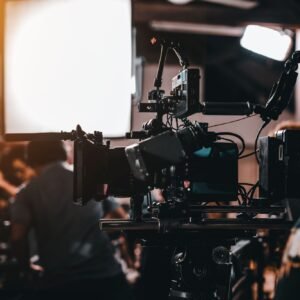
To convert a live event into a strong presentation video, proper coverage is critical.
Essential Footage:
-
Wide shots of the venue
-
Close-ups of speakers / performers
-
Audience reactions
-
Stage visuals (screens, lighting, branding)
-
Behind-the-scenes moments
🎥 Multi-camera setups and clean audio recording make a massive difference in final quality.
🎙 Step 3: Clean & Enhance the Audio
Audio quality can make or break an online presentation.
Professional post-production includes:
-
Noise reduction
-
Voice enhancement
-
Syncing microphones with video
-
Adding background music (where appropriate)
Clear audio ensures your message is understood and respected.
✂️ Step 4: Edit for Online Audiences
Online viewers behave differently than live audiences. Editing should be tight, engaging, and purposeful.
Smart Editing Techniques:
-
Remove long pauses and interruptions
-
Add lower-thirds (speaker names & titles)
-
Insert slides or screen recordings
-
Use branded intro/outro
-
Add captions or subtitles
📌 Shorter segments or chapters help retain attention.
🎨 Step 5: Add Branding & Visual Identity
A presentation video should feel like your brand, not just a recording.
Include:
-
Logo animation
-
Brand colors
-
Consistent fonts
-
On-screen graphics
-
Event title & date
This turns the video into a professional brand asset, not just documentation.
🌐 Step 6: Optimize for Online Platforms
Different platforms require different formats:
-
Website / YouTube → 16:9
-
Instagram / Facebook → 1:1 or 4:5
-
Stories / Reels / TikTok → 9:16 (vertical)
Also optimize:
-
Video title
-
Description
-
Thumbnail
-
Tags & keywords
This helps your event video get discovered on Google and social platforms.
🚀 Step 7: Repurpose for Maximum Impact
One event can create multiple pieces of content:
-
Full presentation video
-
Speaker highlight clips
-
Quote reels
-
Behind-the-scenes video
-
Promo teasers for future events
💡 This multiplies your return on investment without extra shooting.
🎬 Why Choose Cinefilm?
At Cinefilm, we specialize in:
-
Live event filming
-
Presentation video editing
-
Corporate & conference videos
-
Global-ready digital content
🌍 Serving clients in Dubai, Bangladesh, and worldwide
🎥 From filming to final delivery—we handle everything
📞 Ready to Turn Your Event Into a Powerful Video?
If you’ve hosted a live event—or are planning one—don’t let it disappear after the day ends.
📩 Email: cinefilm26@gmail.com
📲 WhatsApp: +971 52 696 9855
🌐 Website: www.cinefilm.com
🎬 Cinefilm
Turning Moments Into Stories That Travel the World